Visual trust signals
Local SEO photo checklist for business profile trust
Photos are local proof. They show whether a business is real, current, easy to recognize, and ready for customers. A photo checklist also helps the website, Google Business Profile, and AI summaries describe the same business without relying only on promotional copy.
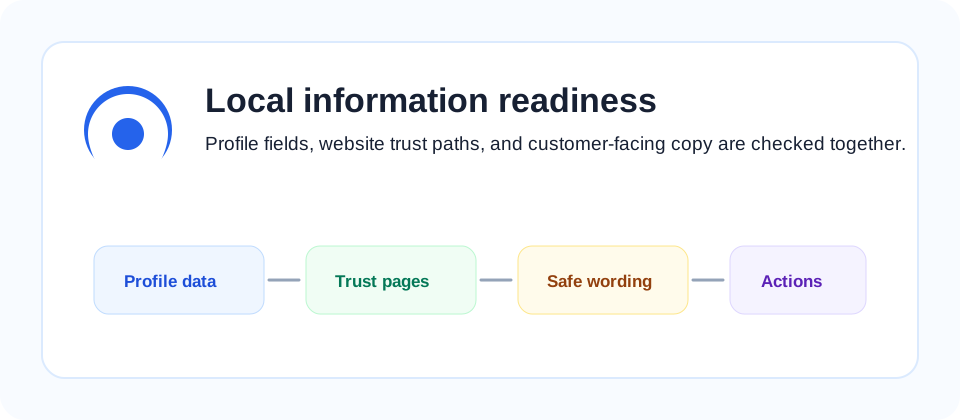
Profile photo set
A local business profile should include photos that help a customer identify the place and understand the service. Start with the storefront or entrance, interior, main product or service scene, menu or pricing board when appropriate, staff or work area when consent is clear, and a nearby landmark if the location is difficult to find.
Each photo should answer a practical question. Can the customer recognize the entrance? Can they see what kind of seating, counter, consultation room, or pickup area exists? Can they understand whether the business is walk-in, appointment-based, delivery-based, or service-area based? Photos that answer these questions reduce uncertainty before the customer calls.
Avoid using only decorative stock-like images. A clean graphic can help a website article, but a business profile needs real proof from the actual business. If the business has seasonal menus, temporary facilities, new signage, or changed opening flow, update the photos so customers do not arrive with outdated expectations.
Minimum useful set
For most small businesses, a useful starting set is five to eight images: one exterior, one entrance, two service or product photos, one interior, one customer path photo, and one proof photo such as menu, workspace, or equipment. The exact mix depends on industry, but the goal is always to help the customer decide whether the business fits their need.
Website image context
Website images should support the same facts as the business profile. Add descriptive alt text that states what the image shows instead of stuffing keywords. "Interior counter and pickup area at a Mapo phone repair shop" is more useful than "best phone repair local SEO image." The first version gives context to readers and assistive technology; the second version sounds artificial.
Place images near the text they support. A service description is stronger when the image beside it shows the actual service environment, product category, or preparation step. If an article explains profile readiness, the image can show the workflow or fields being checked. If a page explains a local store, the image should reveal the real place or service outcome.
Image file size also matters. Large uncompressed photos can slow mobile pages, which hurts the user experience before any SEO benefit is considered. Use compressed images, stable width and height attributes, lazy loading for below-the-fold images, and clear filenames that reflect the subject. These are basic performance practices, not tricks.
Review rhythm
Review local photos when the storefront changes, opening hours change, a new product line launches, a menu changes, or customers ask the same navigation question repeatedly. Repeated questions are a signal that the current photo set is not answering enough. A customer asking "where is the entrance?" or "do I need a reservation?" may be pointing to a visual gap.
Keep a small photo inventory with upload date, subject, profile location, and website page. When photos are scattered across social profiles, maps, and site pages, old images can remain online after the business changes. A simple inventory makes it easier to replace outdated proof before it causes confusion.
For multi-location businesses, do not reuse the same generic photo set everywhere. Each location should show its own entrance, local context, service area, and customer path. Reused photos may save time, but they weaken the location-specific proof that local search and customers need.
Quality and policy checks
Photo quality does not mean every image must look like a campaign asset. It means the image is clear, current, relevant, and truthful. Blurry images, heavy filters, unrealistic renderings, or cropped signs can make a profile look less reliable. Clean phone photos are often enough when they show the real business clearly.
Check privacy before publishing people, license plates, documents, or customer information. If a diagnostic site uses screenshots or examples, remove sensitive details and avoid implying a relationship with Google or any platform unless there is a real authorized relationship. LocalGEO AI treats photos as evidence, not as a way to overstate credibility.
Review the same image from the customer's point of view. If the photo shows a product but not its scale, setting, or use case, add a better supporting image. If the photo shows an entrance but not the building context, add a wider view. If the photo shows a service room but looks empty or outdated, replace it with a current image that matches the real visit experience.
Do not let visuals contradict the written profile. A business page that says reservations are required should not show only walk-in counter photos without explaining the booking flow. A delivery-focused business should show delivery area context, packaging, or pickup instructions rather than only a generic product shot. Consistency between words and images is the main SEO value here.
For accessibility, each important website image should have alt text that describes the actual subject. Decorative images can use empty alt text, but proof images should not. If an image supports a service claim, the alt text should describe the proof in plain language so screen reader users and search systems can understand why the image is present.
For a complete readiness pass, compare this photo checklist with the Google Business Profile checklist and the trust page checklist. Photos work best when they support accurate fields, clear descriptions, and visible policy pages.
For platform photo guidance, compare this checklist with the Google Business Profile Help Center.
For website image accessibility and search context, also review Google Images SEO best practices and W3C image accessibility tutorials.