Trust and AdSense readiness
Local SEO trust page checklist for diagnostic sites
Trust pages are not decoration. They explain who operates the site, how users can contact the operator, how collected information is handled, and what the service does not promise. This matters for readers, crawlers, and AdSense review.
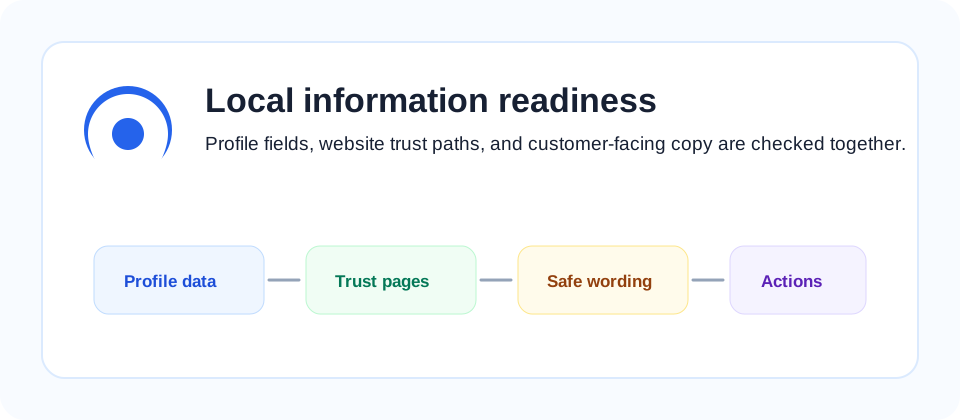
Required trust paths
A local diagnostic site should provide About, Contact, Privacy Policy, Terms, and a visible path back to the main service. These pages should be linked from the footer and should use stable URLs that are included in the sitemap.
The About page should explain the site purpose in plain language. The Contact page should provide a correction path for inaccurate business information. The Privacy Policy should explain form data, analytics, and advertising cookies when they are used. The Terms page should define the service boundary so readers understand that a diagnostic report is guidance, not a guaranteed business outcome.
What to check first
Confirm that the contact page works, the privacy page mentions analytics or advertising cookies when used, and the terms page avoids unrealistic ranking guarantees. These basics reduce ambiguity for both visitors and reviewers.
Also check whether these pages are reachable without JavaScript, whether they return 200 status, and whether the footer links are visible on mobile. If a trust page exists but is hidden behind a script-only navigation element, a crawler or reviewer may still treat it as weak evidence.
AdSense-friendly statements
For AdSense readiness, the site should show useful original content before ads are considered. Auto Ads can be installed, but manual ad slots should not crowd the first screen or interrupt trust content. LocalGEO AI uses Auto Ads only and keeps diagnostic content readable.
AdSense review is not only a script check. The site should have a clear purpose, accessible trust pages, enough useful content, and no misleading claims. A diagnostic site should be especially careful about promises: it can explain what it checks, but it should not promise search placement, traffic, customer calls, or advertising revenue.
Use the privacy policy, terms, and business description guide together when checking the site.
Review cadence
Review trust pages after changing the lead form, analytics setup, advertising setup, or service scope. Add a visible reviewed date when possible and keep the sitemap updated so crawlers can rediscover policy pages quickly.
A practical cadence is to review trust pages whenever the site adds a new collection form, changes tracking scripts, changes advertising configuration, or expands the service beyond local profile diagnostics. The review should be small but documented: what changed, why it changed, and which public page now explains it.
How a reviewer may read the site
A human reviewer or crawler usually does not know the operator's intent. It only sees page structure, accessible links, visible claims, contact paths, and whether the content offers original value. For that reason, the first review pass should be mechanical: open the home page, follow the footer links, confirm the policy pages load, and check whether the diagnostic service is explained without vague promises.
The second pass should focus on content usefulness. A trust page helps most when it answers real questions: who operates the service, how to request correction, what information is collected, how advertising and analytics are used, and what the diagnostic cannot guarantee. Thin boilerplate pages can technically exist but still feel weak because they do not match the actual service.
The third pass should check mobile readability. Footer links, forms, and policy pages need to be easy to tap and scan on a phone. Many local business users arrive from maps or mobile search, so a trust path that works only on desktop leaves both readers and review systems with less confidence.
Trust page maintenance log
Every trust page should have an internal maintenance log even if that log is not public. Record the date, changed page, reason for change, and related site feature. For example, if the site adds a new diagnostic request form, the privacy policy should be reviewed for form fields, analytics, advertising cookies, and correction requests.
This log is useful because small tracking or form changes often happen faster than policy pages are updated. A site can start with accurate trust content and become outdated after adding a newsletter form, a new analytics event, a file upload field, or a third-party scheduling link. The maintenance log makes those changes visible before they become review risk.
Also check whether trust pages are included in sitemap and robots discovery paths. Reviewers and crawlers should not have to guess where the privacy policy or terms live. If a site blocks policy pages by mistake, hides them from navigation, or links them only from JavaScript-rendered menus, the pages may not provide the trust signal they were meant to provide.
For diagnostic services, the terms page should be especially plain. It should say what the report checks, what it does not check, and that search ranking or ad approval is not guaranteed. This is not only legal language. It helps the reader evaluate the service honestly and reduces the chance that the site appears to be selling unrealistic search outcomes.
When the trust pages are clear, the rest of the content becomes easier to evaluate. A reviewer can see that the site has a purpose, a contact path, a privacy explanation, and policy boundaries. That foundation supports AdSense readiness, local SEO credibility, and user confidence at the same time.
For publisher policy context, compare this checklist with Google AdSense program policies.
For crawlable trust pages and structured site signals, also review Google's robots.txt documentation and Search Central sitemap guidance.